One system sees it all.
Connect sales, stock, manufacturing and accounts in one ERP. Ask Sentinel’s AI agent about your business in English or Roman Urdu.
For manufacturers, traders and distributors, in Pakistan first. On desktop and every phone. Rate on request: how buying works.
Every department. One system.
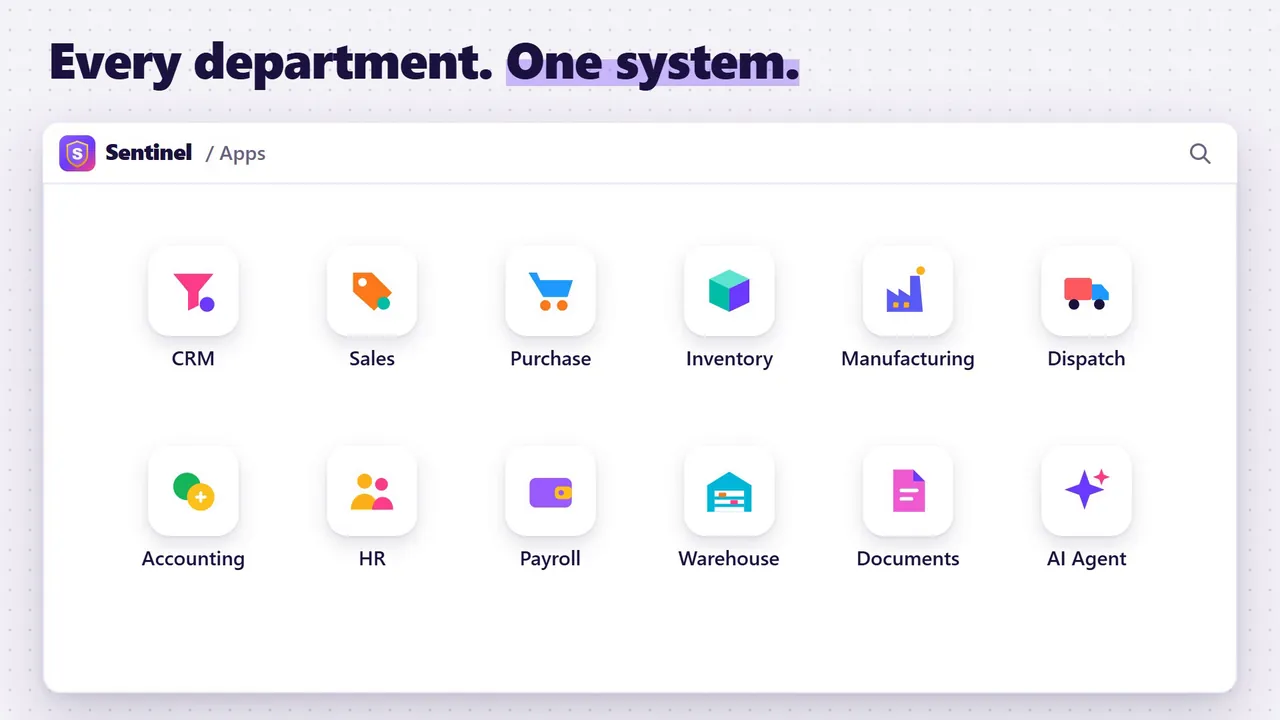
Each department works in its own app, and every app works on the same records, so sales, stock and the books agree.
 Watch the reel “Same order. Two ways.” 19 sec
CRM
Leads, follow-ups and every deal in plain sight.
Sales
Quotations, sales orders and invoices for every customer.
Purchase
Purchase orders, goods received and supplier bills.
Inventory
Stock by item and location, with reorder levels.
Manufacturing
Bills of materials and work orders, from raw material to finished goods.
Dispatch
Delivery notes for everything that leaves the gate.
Accounting
Ledgers, invoices and reports for one company or several.
HR
Employee records, attendance and leave.
Payroll
Monthly salary slips from your salary rules.
Warehouse
Warehouses, zones and the transfers between them.
Documents
Contracts, licences and company papers, easy to find.
AI Agent
Ask in plain English or Roman Urdu. It reads every department.
An AI agent inside your ERP.
Ask it what you would ask your manager, in plain English or in Roman Urdu. It reads every department and answers from your own records, and it shows each person only what their role allows.
You ask: Kis item ka stock kam hai?Which items are low on stock?
Sample data
It finds the odd one.
It checks the whole system for these, and raises each one to the person responsible for it:
- Stock below zero
- Totals that don’t add up
- Missing fields
- Work left unfinished
 Watch the reel “Type it in Roman Urdu. Watch.” 28 sec

Every deal, in plain sight.
Leads, follow-ups and deals in one pipeline, from the first call to the won order. A won deal becomes a sales order in one step, and the order carries on into delivery and the invoice.

Make it. Store it. Count it.
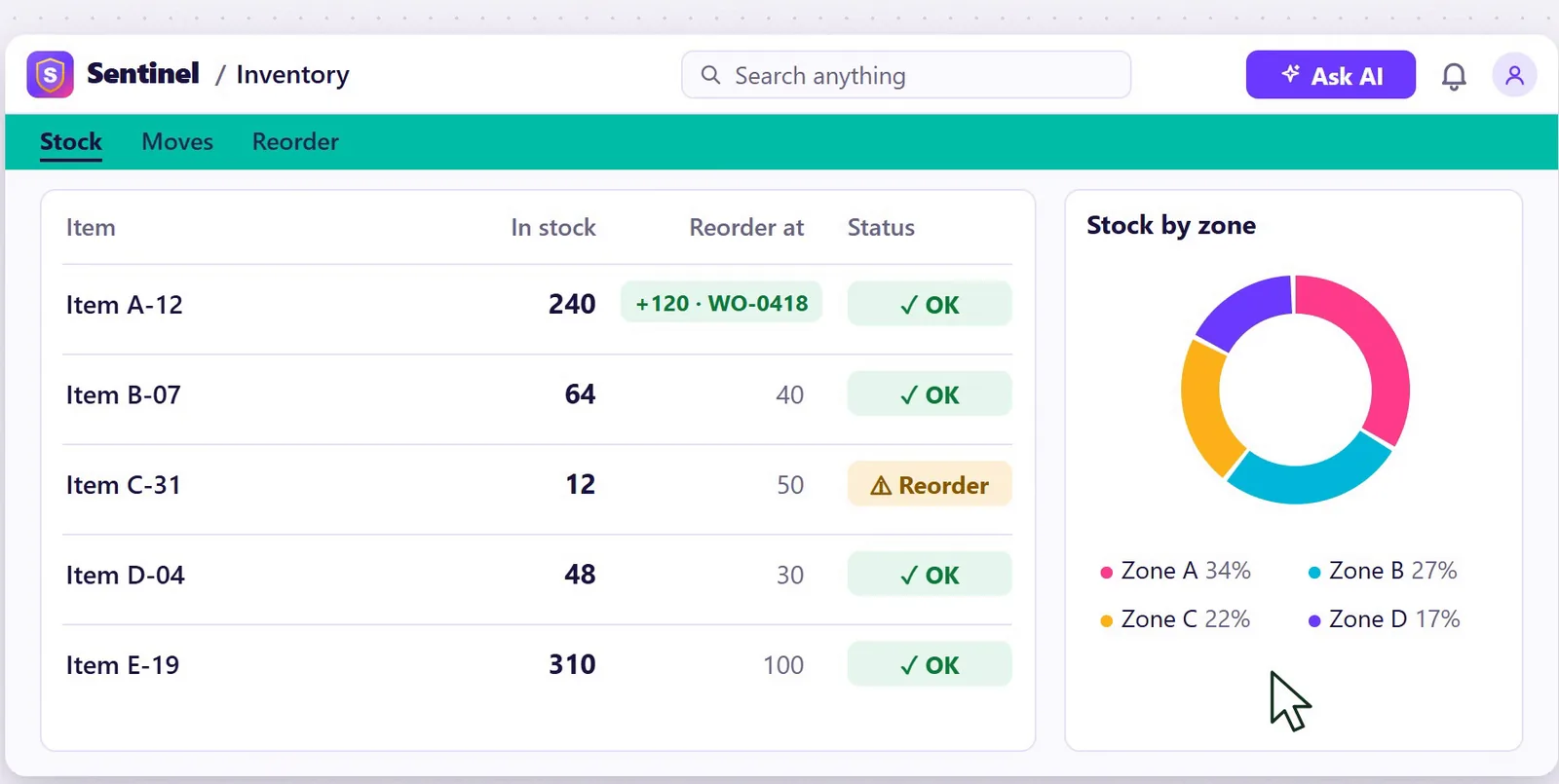
Bills of materials and work orders for the factory floor, stock by location in the warehouse, delivery notes at the gate, and a stock ledger that shows who moved what, and when.
 Watch the reel “Monday 1,240 kg. Friday 900. Where did 340 kg go?” 21 sec
Every cent, reconciled.
Keep the books for one company or several, with a trial balance that ties. Every entry records who made it and when, so the books show who did what.
 Watch the reel “Your father kept the khata.” 22 sec

On every phone.
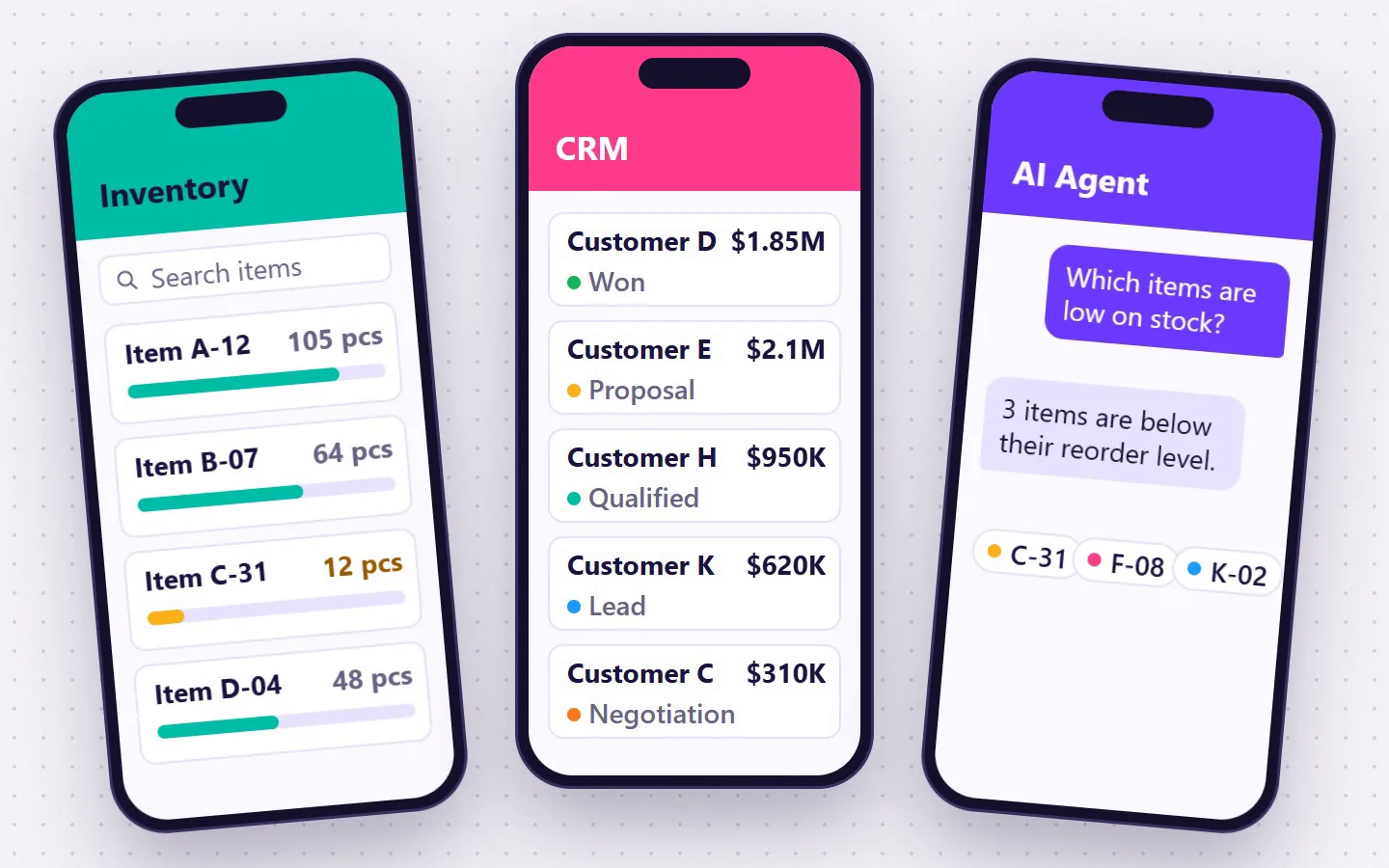
Sentinel works on desktop and on every phone, so you can check stock, deals and the books from your phone.
Access by role.
Each person sees and changes only what their role allows. The store manager works in the store, the accountant in the books, and the directors see it all.
 Watch the reel “POV: you ask one simple question.” 19 sec
From the shop floor to the boardroom.
Screens for the shop floor can be in Roman Urdu, for people who ran their part of the business in Excel workbooks. Directors see the whole business in one place.
Meet the cast.
Five characters from the Sentinel short films, from the shop floor to the boardroom, and the part of Sentinel each one shows.
-

Pappu
Always asleep on the sacks.
Blamed whenever stock goes missing. In Sentinel, every entry records who made it and when.
Watch “Munshi Ji’s five excuses” -

Raja
The store in-charge. Never says a word.
He asks the AI agent in Roman Urdu, and it raises the mistake with the person responsible for it.
Watch “Raja has the answer” -

Munshi Ji
Forty years of registers.
Registers get soaked and pages go missing. The stock ledger shows every entry, who made it and when.
Watch “Munshi Ji’s five excuses” -

Manager Sahiba
Wants the stock figures. Now.
Anyone can ask the AI agent, in plain English or Roman Urdu: “Kis item ka stock kam hai?” Which items are low on stock?
Watch “Raja has the answer” -

Seth
Owns the business.
From the shop floor to the boardroom, he sees the whole business in one place.
Watch “Raja has the answer”
See it in a minute.
The launch film shows what this page says, in 60 seconds: every department, the AI agent and the phones. Music and sound effects, no narration. Screens are simulated with sample data.
Read what the film shows
- A crowd of colourful faces on violet: “One of these is different.” One face winks. “Easy here.” The view pulls back to an endless crowd: “Now try a whole company.”
- Department names flash past on the beat, each on its own colour: CRM, Sales, Purchase, Manufacturing, Warehouse, Inventory, Dispatch, Accounting. Then “One system sees it all.” and the Sentinel mark.
- “Every department. One system.” Sentinel’s app launcher with its twelve apps: CRM, Sales, Purchase, Inventory, Manufacturing, Dispatch, Accounting, HR, Payroll, Warehouse, Documents and AI Agent.
- “Every deal, in plain sight.” The CRM pipeline, from Lead to Won. A deal is dragged into Won, “✓ SO-0418 created” appears under it, and then a “Make work order” button.
- “Make it. Store it. Count it.” A work order for 120 of Item A-12 goes from In progress to Done, its 120 pieces go into bin B-07 on the warehouse map beside today’s transfers, and the inventory adds them: Item A-12 now shows 240 in stock, and Item C-31 is marked for reorder.
- “On every phone.” Three phones: inventory, the CRM pipeline, and the AI agent answering “Which items are low on stock?” with “3 items are below their reorder level.”
- “An AI agent inside your ERP.” The agent reads every department and runs its checks: stock below zero, totals that don’t add up, missing fields, work left unfinished. “It finds the odd one.” A card reads “Mistake found: Stock is going below zero. This delivery takes Item A-12 to −15 pcs.”, on delivery note DN-0417, assigned to the store manager.
- “Every cent, reconciled.” Accounting for all companies: revenue by month, expenses, and a trial balance whose difference is 0.00.
- Four lines on the beat: “Excel in. Excel out.” “Print-ready papers.” “Every company, one login.” “Access by role.”
- “From the shop floor to the boardroom.”
- The Sentinel mark and name over “ERP · CRM · AI agent”, a “Book a live demo” button, and the note “Screens simulated · sample data”.